Dialogue NPC Script

Created by
Mozzyassets
Description
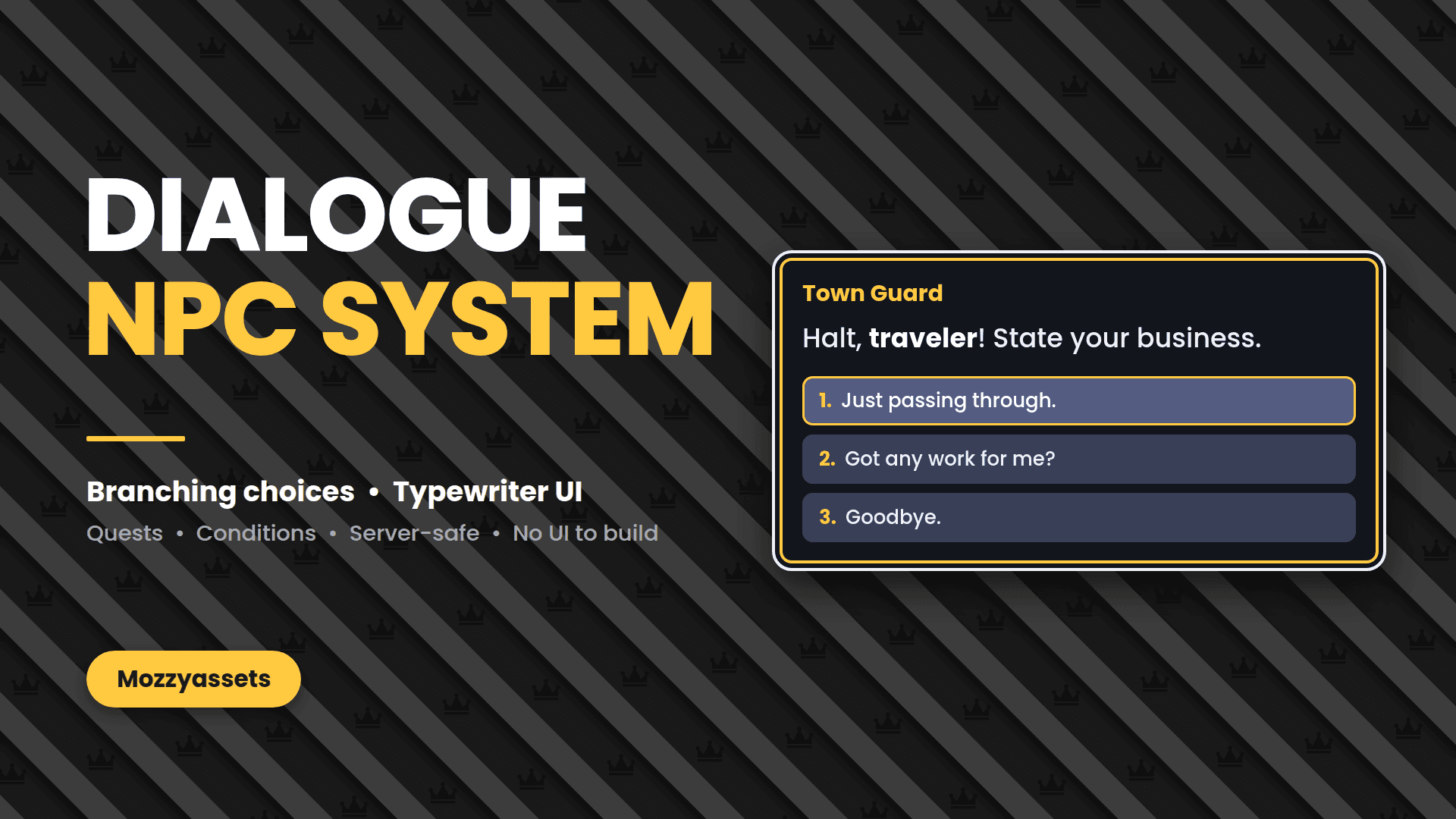
Talking NPCs in minutes: branching choices, typewriter text and a ready-made UI. Fully customizable from one config module, and server-safe.
$2.00
$4.00
Instant Delivery
Get immediate access to your purchase from your dashboard right after payment.
File size
7.1 KB
File types
.lua
Tags
roblox, script, dialogue
Frequently asked questions
How do I install/implement it?+
Put the scripts in these places, with names matching exactly, capitals included: DialogueConfig (ModuleScript) inside a folder named DialogueSystem in ReplicatedStorage DialogueData (ModuleScript) and DialogueServer (Script) in ServerScriptService DialogueClient (LocalScript) in StarterPlayer > StarterPlayerScripts
How do I add a talking NPC?+
Select any Model or Part, add a string attribute called DialogueId, and set it to a name from DialogueData (like Guard). A “Talk” prompt appears automatically.
The prompt doesn’t show up, or I see “Infinite yield possible” in Output. What’s wrong?+
Almost always a naming problem. Check the script names and types (DialogueServer is a Script, DialogueClient is a LocalScript), and check the attribute name and value are spelled exactly. The Output window warns you if a DialogueId doesn’t match anything in DialogueData.
Can I use the same dialogue on several NPCs?+
Yes, give them the same DialogueId. Each player has their own conversation, so several players can talk to the same NPC at once.
Is it safe from exploiters?+
The server controls the conversation and checks every choice (valid option, player nearby, anti-spam), and your dialogue data is never sent to clients. Your own Action functions run on the server, so write them as carefully as any other server code.
Does it save quest progress?+
Not by default. Flags are kept in server memory while the player is in the server. To make them permanent, save and load them with a DataStore where DialogueServer sets up the flags table.
How do I change the look, typing speed, sounds or the key?+
Everything is in DialogueConfig: colors, font, text size, typing speed, typing sound, prompt key, distances, and whether to freeze the player while they talk.
Can dialogue give the player something or start a quest?+
Yes, with Action functions on a node or a choice. The Merchant example takes coins from leaderstats and the Guard example sets a quest flag.