Guides
How to Export Roblox Models in Roblox Studio
Want to save a model you've built in Roblox Studio or move it into another project? Roblox Studio allows you to export models, save reusable assets and work with 3D geometry outside Roblox.
Whether you've created a building, vehicle, pet or collection of props, this guide explains how to export Roblox models, which file format to choose and how to avoid common problems.
 Freeflow Team•Oct 17, 2026•7 min read
How Do You Export a Roblox Model?
There are two main ways to export content from Roblox Studio, depending on what you want to do.
Save to File is useful for keeping a reusable Roblox model, while Export Selection is used when you need supported 3D geometry for external software.
| Method | Typical format | Best for |
|---|---|---|
| Save to File | RBXM or RBXMX | Reusable Roblox models |
| Export Selection | OBJ | Supported 3D geometry for external applications |
| Save a Place | RBXL or RBXLX | Complete Roblox places |
These methods don't produce identical results.
An RBXM file can preserve Roblox objects and scripts, while exporting an OBJ focuses on 3D geometry rather than complete Roblox gameplay functionality.
How to Export a Roblox Model as an RBXM File
RBXM is a useful format when you want to save a model and reuse it in another Roblox Studio project.
Step 1: Open Roblox Studio
Open the place containing the model you want to export.
Make sure the model is complete and that you have permission to reuse its contents.
Step 2: Select Your Model
Find the object in the Explorer window.
If your creation contains several separate parts, select the components you want to keep together.
You can group related parts into a Model to make them easier to manage.
Step 3: Save the Model
Right-click the selected model in Explorer and choose Save to File, where available.
Select a location on your computer and enter a recognisable file name.
For example:
MedievalTrainingArea.rbxm
Step 4: Check Your Export
Open a separate Roblox Studio project and insert the saved RBXM file.
Check that the expected objects, scripts and other components are present.
This helps confirm that the model can be reused successfully.
What Can You Export as an RBXM File?
RBXM files can store much more than basic shapes.
Depending on the model, they can contain:
- Buildings and structures
- Vehicles
- Pet models
- Furniture and decorations
- Tools
- Scripts
- UI elements
- Collections of related objects
For example, imagine creating a pet system for a simulator game.
You might want to save the pet models separately so you can reuse them in another project.
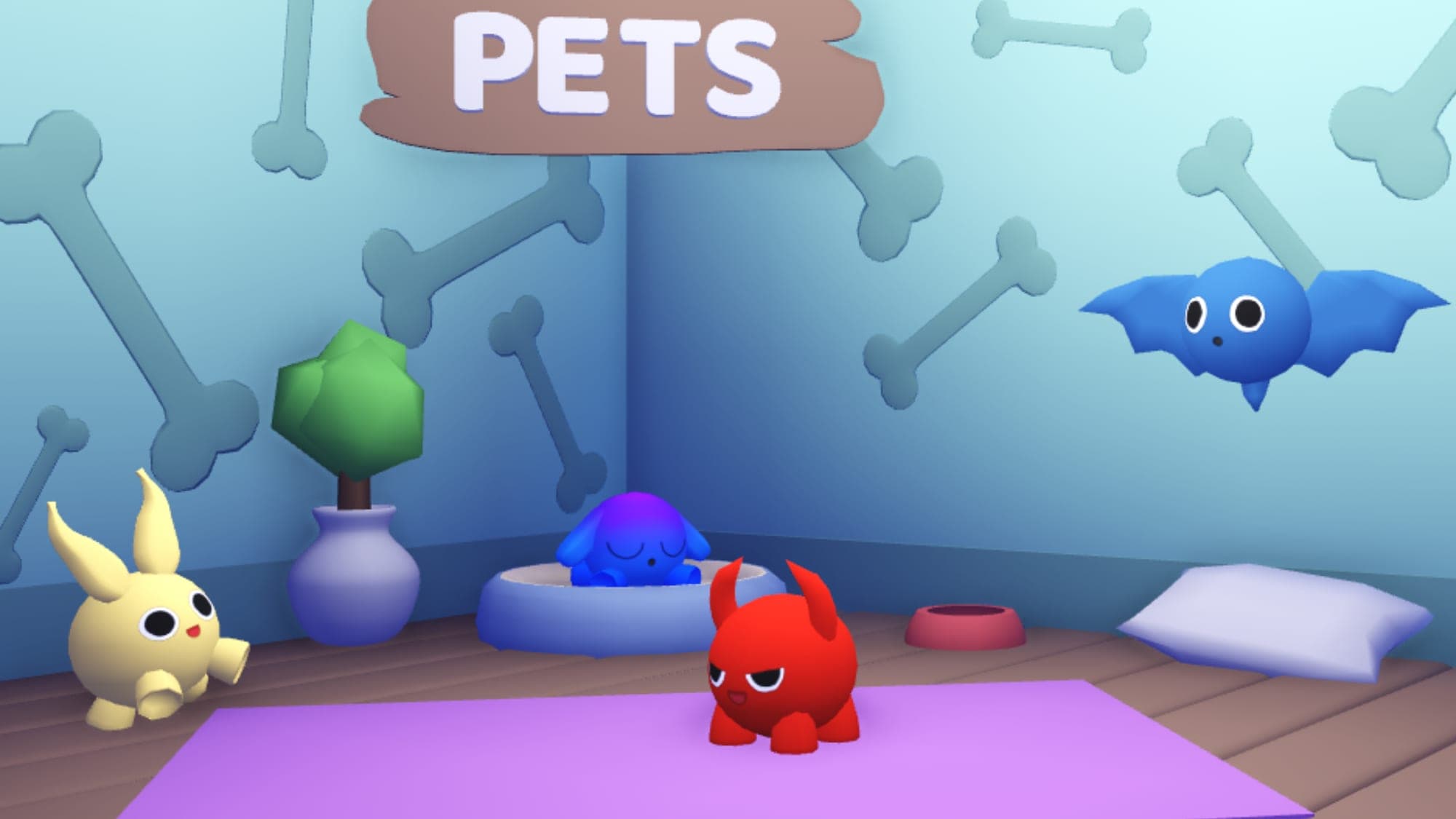
Freeflow's Small Pet Pack provides an example of a downloadable RBXM asset pack containing four colourful pet models.
You can use a pack like this as a starting point for a pet-themed game, customise its appearance and organise the models for your own project, subject to its licence.
How to Export Roblox Models to Blender
If you want to work on 3D geometry outside Roblox Studio, exporting an RBXM file is usually not the right approach.
Instead, you can export supported models as 3D geometry.
Step 1: Select the Model
Open Roblox Studio and select the parts or model you want to export.
Step 2: Choose Export Selection
Right-click the selection in Explorer and select Export Selection, where available.
Choose the export location and save the supported 3D file.
Step 3: Open Blender
Launch Blender and use its import menu to open the exported OBJ file.
Step 4: Edit the Geometry
Depending on how the model was constructed, you can work with its geometry, adjust materials or prepare it for further 3D modelling.
Important: An OBJ export does not preserve Roblox scripts, services or complete gameplay behaviour.
Some Roblox-specific materials, effects and other features may need to be recreated or adjusted in your 3D software.
RBXM vs OBJ: Which Format Should You Use?
The two formats are intended for different purposes.
| Feature | RBXM | OBJ |
|---|---|---|
| Designed for Roblox Studio | Yes | General 3D geometry |
| Can preserve Roblox scripts | Yes | No |
| Suitable for reusable Roblox assets | Yes | Geometry only |
| Commonly used with Blender | Not directly | Yes |
| Preserves complete Roblox gameplay systems | Only included instances and dependencies | No |
| Best use | Moving assets between Roblox projects | Editing or sharing 3D geometry |
If your goal is to move a complete Roblox model into another game, RBXM is usually the better choice.
If you're working on the underlying geometry in Blender or another modelling application, OBJ may be more appropriate.
How to Import an Exported Roblox Model
Once you've saved an RBXM file, you can insert it into another Roblox Studio project.
- Open your destination project.
- Find the appropriate location in Explorer.
- Right-click the container.
- Select Insert from File, where available.
- Choose your RBXM file.
- Inspect and position the imported content.
For a building or decorative model, Workspace is often an appropriate location.
Scripts and UI objects may require a different Roblox service to work correctly.
Not sure how Roblox model and place files differ? Read our RBXM vs RBXL guide.
Practical Example: Building a Medieval Asset Pack
Imagine you're working on a medieval Roblox adventure.
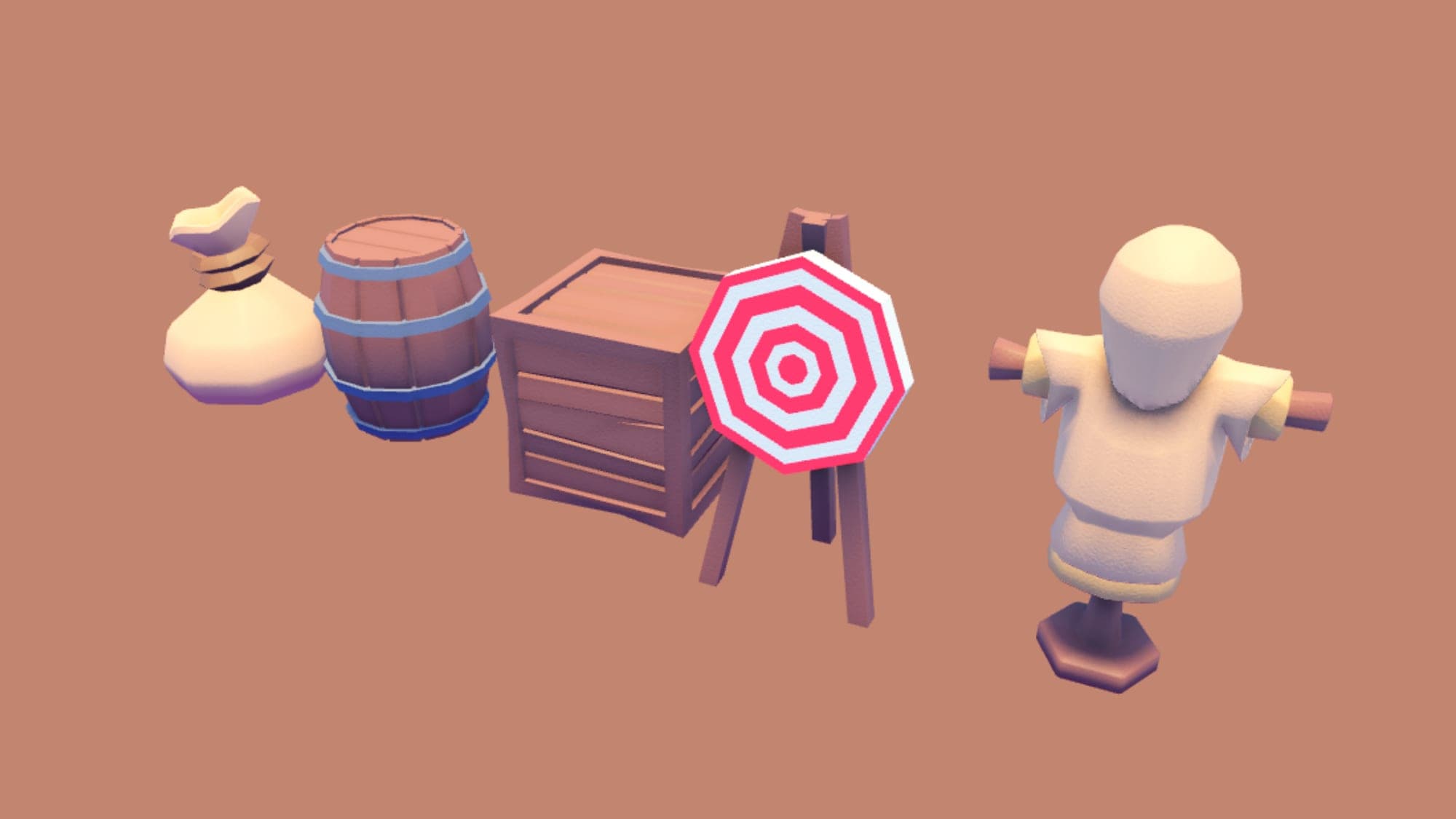
You've built a training area containing targets, equipment, weapons and decorative objects.
Instead of keeping everything inside one large game file, you can organise those objects as a reusable model.
For example, you might structure your content like this:
- MedievalTrainingArea
- TrainingTargets
- WeaponRacks
- WoodenProps
- DecorativeObjects
You can then save the grouped model as an RBXM file for use in another project.
If you're looking for a starting point, explore Freeflow's Medieval Training Props or Low Poly Medieval Weapons.
Both are examples of themed assets that can help build a consistent medieval environment.
Common Roblox Model Export Problems
My Exported Model Is Missing Parts
Make sure you selected every object you intended to save.
If the model contains related parts outside its hierarchy, they may not be included in your exported file.
My Scripts Don't Work After Importing
A script may depend on objects, modules, services or other resources that weren't included in the saved model.
Check its references and review any installation requirements.
My OBJ File Doesn't Include Scripts
This is expected. OBJ is a geometry format and does not store Roblox gameplay scripts.
Use an appropriate Roblox model format if you need to preserve Roblox instances and scripts.
My Model Has Missing Textures
Some external exports require additional texture or material setup.
Check your original asset references and review the supported export behaviour before making changes.
My Model Is Too Large
Large models can be harder to organise and reuse.
Consider dividing an extensive environment into smaller logical groups and removing unnecessary geometry or objects.
Can You Sell Exported Roblox Models?
Creators can distribute models they own or have permission to license.
However, exporting a model from Roblox Studio doesn't automatically give you ownership or redistribution rights.
Before selling or sharing a model, make sure:
- You created the content or have permission to distribute it.
- Any third-party assets allow redistribution.
- You comply with applicable licences.
- You aren't passing off another creator's work as your own.
For example, some assets allow modification and commercial use within games but restrict resale of the standalone files.
Always review the licence attached to a downloaded asset before distributing it.
Where Can You Find Roblox Models to Practise With?
If you're learning how Roblox models work, downloading a small asset pack can be a useful starting point.
Try experimenting with:
- A group of simple props
- A low-poly building
- A small collection of pet models
- A decorative environment pack
- A basic scripted object
Freeflow offers Roblox model packs and free Roblox assets suitable for exploring different types of content.
You can also read our Roblox asset packs guide to learn how ready-made resources can fit into a larger project.
Frequently Asked Questions
How do you export a model in Roblox Studio?+
Select the model in Explorer and use Save to File for a reusable Roblox model or Export Selection for supported 3D geometry.
How do I save a Roblox model as RBXM?+
Select the model in Roblox Studio, right-click it in Explorer and choose Save to File. Save the model using the RBXM format.
Can you export Roblox models to Blender?+
Yes. Supported 3D geometry can be exported from Roblox Studio and imported into Blender using a compatible format such as OBJ.
Can you export scripts with Roblox models?+
Yes. RBXM files can contain Roblox scripts. However, scripts may require additional objects or services to function after import.
What is the difference between RBXM and OBJ?+
RBXM is a Roblox model format that can store Roblox instances, including scripts. OBJ is a general-purpose format for 3D geometry.
Can you export an entire Roblox game as a model?+
You can save selected content as a model, but complete Roblox places are better saved in a place format such as RBXL.
Can I use an exported model in another Roblox game?+
Yes. You can import an RBXM file into another Roblox Studio project, provided you have the necessary rights and the model's dependencies are available.
Why are my exported Roblox textures missing?+
The export method may not include every Roblox-specific material or texture configuration. Check the file format and any external texture references.
Build and Reuse Better Roblox Models
Exporting Roblox models is a useful skill for creators who work across multiple games.
By organising your assets and choosing the correct file format, you can move content between projects, keep backups and build your own library of reusable resources.
Looking for models to expand your collection? Browse Roblox model packs on Freeflow, including pets, buildings, props and themed asset packs.
Freeflow is an independent creator marketplace and is not affiliated with or endorsed by Roblox Corporation.