Guides
How to Use Roblox Game Templates in Roblox Studio
You don't always need to build a Roblox game from scratch. A Roblox game template can give you a ready-made starting point with an existing map, scripts, interface elements or gameplay systems.
Whether you're learning Roblox Studio or developing your next game, templates can help you spend less time on repetitive setup and more time creating something of your own.
In this guide, we'll explain how to open Roblox game templates, customise their content, add new features and prepare your project for publishing.
 Freeflow Team•Oct 17, 2026•9 min read
What Is a Roblox Game Template?
A Roblox game template is a pre-built project or collection of resources designed to help creators start developing a game.
Depending on the template, it might include:
- A complete map or environment
- Existing gameplay mechanics
- Scripts and interactive systems
- User interfaces
- Character or player settings
- Models and decorative assets
- Lighting and visual effects
Some templates contain a mostly complete playable experience, while others provide only the basic structure.
For example, a simulator template might include a map, several areas and supporting assets, but still require you to create or customise its gameplay systems.
You can explore available projects in Freeflow's Roblox game templates.
How to Use a Roblox Game Template
Using a template usually involves opening the project in Roblox Studio, understanding its structure and making your own changes.
Step 1: Download a Roblox Game Template
Start by choosing a template that matches the type of game you want to create.
For example:
- A simulator template for progression-based gameplay
- A restaurant template for a food-themed game
- A roleplay map for a social experience
- An obby template for an obstacle course
- A tycoon template for a building or business game
Check the included files before downloading.
Some templates are supplied as RBXL place files, while others may include RBXM models or additional setup instructions.
Step 2: Open the Template in Roblox Studio
If your template uses an RBXL file:
- Open Roblox Studio.
- Click File.
- Select Open from File.
- Choose the downloaded RBXL file.
- Allow the place to load.
If your download contains an RBXM file instead, you'll normally need to insert it into an existing Roblox Studio project.
Not sure which format you're using? Our RBXM vs RBXL guide explains the difference.
Step 3: Save Your Own Copy
Before making changes, create a separate working copy.
This gives you an original version to return to if you accidentally remove a script, delete an object or break a gameplay system.
Use Roblox Studio's File menu to save the place locally.
For a complete walkthrough, read How to Save a Roblox Game.
Step 4: Explore the Template
Open Explorer and look at how the project is organised.
You might see content stored in:
- Workspace: The main 3D environment
- ServerScriptService: Server-side scripts
- ReplicatedStorage: Resources shared between server and client
- StarterGui: Interfaces provided to players
- StarterPlayer: Player-related scripts and settings
- Lighting: Environment and lighting settings
The exact structure depends on the template.
Take some time to understand what each major component does before editing it.
Step 5: Test the Game
Press Play in Roblox Studio and see how the project behaves.
Check whether:
- Players spawn correctly.
- Existing gameplay features work.
- Interfaces appear as expected.
- Scripts produce errors.
- Important interactions respond correctly.
Testing the original template gives you a useful baseline before making changes.
How to Customise a Roblox Game Template
A template becomes much more useful when you adapt it to your own idea.
Rather than simply changing its name, consider improving the environment, gameplay and presentation.
1. Change the Map
The environment is often one of the first things players notice.
You could replace an existing area, add new buildings or introduce a completely different setting.
For example, a simulator game could feature:
- A small town starting area
- A forest exploration zone
- A medieval training area
- A futuristic city
- A tropical island
Freeflow offers Roblox maps that can provide a starting point for different environments.
For a town-themed project, you could explore the Small City School Map.
Remember that replacing a map may require changes to spawn locations, scripts and other objects.
2. Add New Models
Adding new objects can help make a template feel less generic.
You might introduce:
- Pets
- Vehicles
- Decorative props
- Buildings
- Weapons
- Collectibles
- Environmental details
For example, Freeflow's Small Pet Pack contains four colourful pet models.
You could use these as visual assets in a pet-themed project and create your own systems around them.
The models alone should not be assumed to include pet-following, trading or inventory systems unless those features are explicitly included.
Explore more Roblox model packs for additional assets.
3. Customise the User Interface
Your game's interface helps players understand its features.
Depending on the template, you might want to modify:
- Main menus
- Buttons
- Inventory screens
- Currency displays
- Shop interfaces
- Progress bars
- Settings menus
A consistent interface can make the game feel more polished and easier to navigate.
Freeflow's Roblox UI kits include interface resources that may help when building or redesigning a game.
Always check how a UI kit is installed and whether it includes any supporting scripts.
4. Add or Modify Scripts
Scripts control how players interact with your game.
For example, you might add a new reward system, change the way an object behaves or create another gameplay mechanic.
Before modifying an existing script:
- Understand what the script does.
- Check which objects it depends on.
- Save a backup.
- Make one small change.
- Test the result.
If you want additional systems, browse Roblox scripts.
Be careful when combining systems from different sources, as they may use different data structures or conflict with existing code.
Example: Customising a Food-Themed Roblox Template
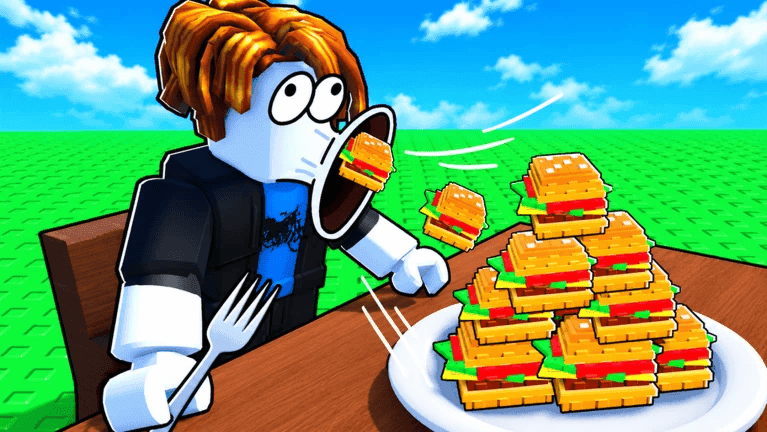
Let's imagine you want to create a burger-themed Roblox game.
Instead of building everything from scratch, you start with a food-themed template such as Freeflow's Eat Burgers.
Here's one possible development plan.
| Stage | What to change | Why it matters |
|---|---|---|
| 1 | Open and test the original template | Understand what already works |
| 2 | Change the environment | Create a different atmosphere |
| 3 | Update the user interface | Improve navigation and presentation |
| 4 | Add new gameplay features | Give players more to do |
| 5 | Introduce rewards or progression | Encourage longer play sessions |
| 6 | Test and publish | Prepare the game for players |
You could develop your own food items, progression mechanics, unlockable locations or restaurant-themed challenges.
The aim is to use the template as a foundation rather than treat it as a finished product.
Example: Creating a Pet Simulator From a Template
Pet simulator games often combine maps, pet models, interfaces, scripts and progression systems.
A ready-made starting point can help you organise these elements.
Here's an example of what your project might need:
| Component | Purpose | Freeflow resource |
|---|---|---|
| Simulator template | Project foundation | Game templates |
| Pet models | Visual characters | Small Pet Pack |
| Map | Exploration environment | Roblox maps |
| UI | Inventory and menus | UI kits |
| Scripts | Gameplay functionality | Roblox scripts |
These are separate building blocks, not a guarantee that every component will work together automatically.
You may need to write additional scripts, connect interfaces to gameplay systems and adjust the template's existing structure.
Roblox Game Templates vs Building From Scratch
Both approaches have advantages.
| Feature | Game template | From scratch |
|---|---|---|
| Initial setup | Often faster | More work required |
| Existing systems | May be included | Built or added separately |
| Customisation | Depends on template structure | Full control from the start |
| Learning opportunity | Learn from existing examples | Learn through building |
| Testing | Existing components still need testing | Every component needs testing |
| Best for | Prototypes and faster starting points | Highly customised projects |
A template can reduce the amount of initial work, but it doesn't remove the need for testing, optimisation and creative development.
Are Free Roblox Game Templates Worth Using?
Free templates can be useful for beginners, students and experienced developers testing new ideas.
They let you explore how Roblox games are structured without committing to a large project immediately.
However, free doesn't always mean complete.
Before choosing a template, check:
- Which files are included
- Whether scripts are provided
- Whether the game is functional
- How much setup is required
- Whether assets can be modified
- What the licence allows
Freeflow has a selection of free Roblox assets, alongside paid resources for creators who need something more specific.
Common Problems When Using Roblox Game Templates
The Game Doesn't Work When I Press Play
Check the Output window for errors.
The template may require additional setup, missing assets or configuration.
Scripts Are Missing
Review the download contents and any instructions supplied with the template.
Some resources include a map or starting structure without complete gameplay systems.
The UI Doesn't Appear
Check whether the interface objects are stored in an appropriate location, such as StarterGui, and whether required scripts are present.
The Map Is Missing Objects
Make sure all required files have been imported and that you haven't accidentally deleted anything.
My Changes Broke the Game
Reopen your backup and compare the differences.
Try making smaller changes and testing each one before continuing.
Can You Publish a Roblox Game Made From a Template?
Yes, provided you have the necessary rights and the game complies with Roblox's rules.
However, using a template doesn't automatically mean you're allowed to redistribute its original files or sell the underlying assets.
Before publishing, check the licence and make sure you have permission to use the included content.
You should also:
- Test the game thoroughly.
- Review scripts and dependencies.
- Replace placeholder content.
- Check the user interface on different devices.
- Make sure the game has an appropriate name and description.
- Review Roblox's publishing requirements.
You can find more information in the official Roblox publishing documentation.
Frequently Asked Questions
How do you use a Roblox game template?+
Download a compatible template, open it in Roblox Studio, save a working copy and customise its maps, scripts, interfaces or gameplay features.
Are Roblox game templates free?+
Some templates are free, while others are paid. The included content and licensing conditions vary between products.
Can you edit Roblox game templates?+
Many Roblox game templates can be edited in Roblox Studio. The level of customisation depends on the included files and how the project is structured.
Can I publish a Roblox game made from a template?+
Yes, if you have the required rights and the project meets Roblox's publishing requirements.
What file type do Roblox game templates use?+
Many templates use RBXL or RBXLX place files. Some may also include RBXM models, scripts or other resources.
Do Roblox game templates include scripts?+
Some templates include scripts and working gameplay systems, while others only provide maps or basic project structures. Check the product description.
Can beginners use Roblox game templates?+
Yes. Templates can help beginners explore Roblox Studio, understand project structures and experiment with existing components.
How do I add models to a Roblox game template?+
Insert a compatible model into the appropriate location in Roblox Studio, then position and configure it. Some assets may require additional scripts or setup.
Can you make a Roblox simulator using a template?+
Yes. A simulator template can provide a starting point for creating progression systems, maps, shops and other mechanics. Additional development may still be necessary.
What's the difference between a Roblox map and a game template?+
A map primarily provides an environment, while a game template may include additional project structures, interfaces, scripts and gameplay systems.
Start Building With Roblox Game Templates
Roblox game templates can make development more approachable by giving you a foundation to work from.
The best results come from understanding what's included, customising the project and building features that make the experience your own.
Whether you're experimenting with your first game or planning something more ambitious, you can explore Roblox game templates on Freeflow.
You can also browse Roblox assets, including maps, model packs, scripts and UI kits to help develop your project.
Freeflow is an independent creator marketplace and is not affiliated with or endorsed by Roblox Corporation.