Guides
Roblox Island Maps: A Guide for Roblox Creators
A good Roblox island map can give you the foundation for an entire game.
From tropical resorts and survival experiences to naval combat, pirate adventures and open-world roleplay, island maps are especially useful because the environment naturally gives players somewhere to explore while creating clear boundaries around the game world.
Instead of building every beach, mountain, road and piece of terrain from scratch, creators can use a pre-built Roblox island map as a starting point and customize it around their own gameplay.
In this guide, we'll look at the different types of Roblox island maps, what a good island map should include and how to choose one for your Roblox Studio project.
 Freeflow Team•Sep 28, 2026•12 min read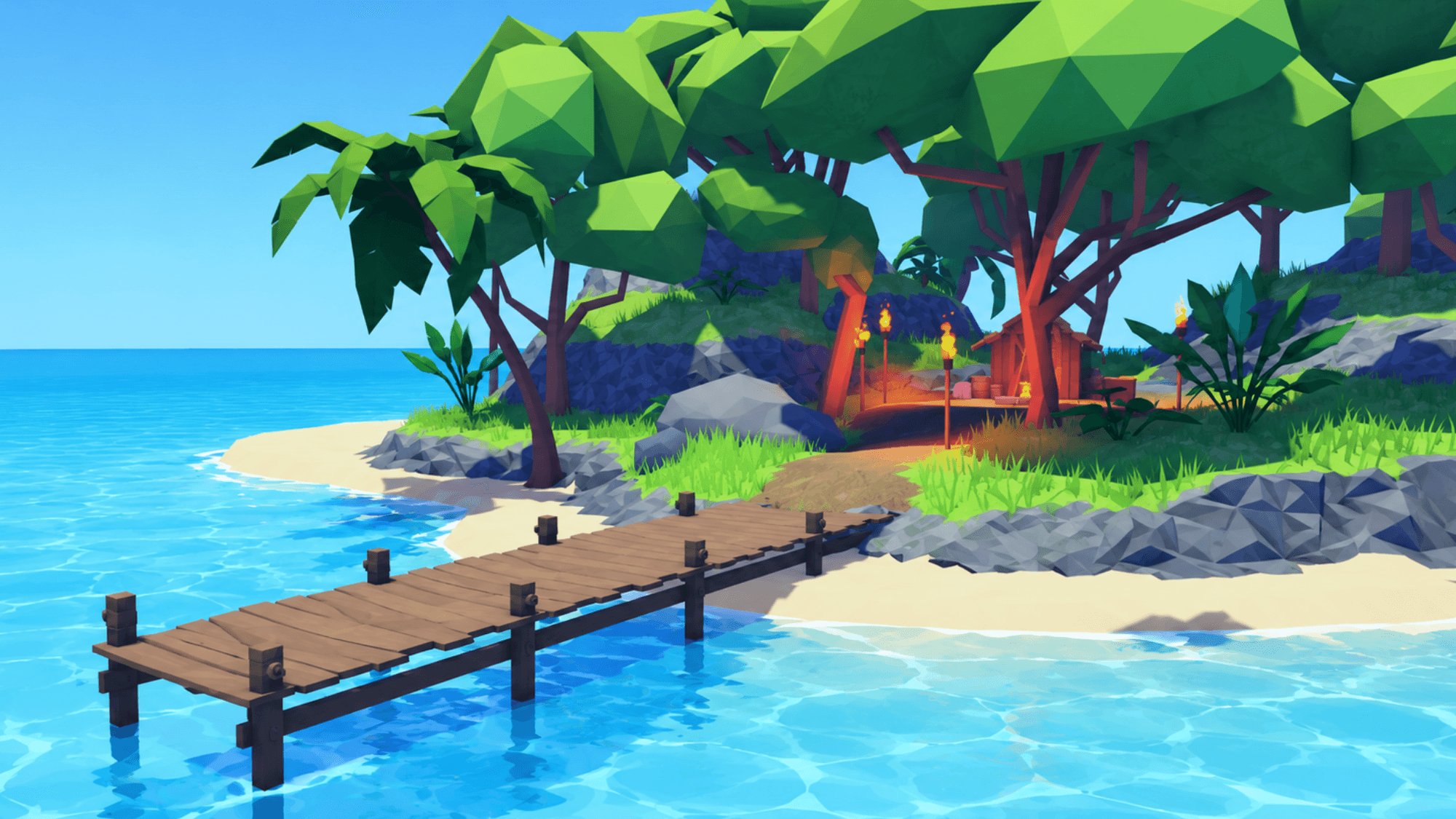
What Is a Roblox Island Map?
A Roblox island map is a pre-built or custom environment designed around land surrounded by water.
These maps can range from a small tropical island to a massive open-world environment containing several islands, towns, mountains and transport routes.
A typical island map might include:
- Beaches
- Oceans
- Mountains
- Cliffs
- Forests
- Palm trees
- Roads
- Villages
- Ports
- Docks
- Rivers
- Waterfalls
- Caves
- Bridges
- Small surrounding islands
The exact layout depends on the type of Roblox experience being created.
A survival game might need a mostly natural environment, while a roleplay island could contain roads, buildings, towns and infrastructure.
What Are Roblox Island Maps Used For?
Island environments work well across many Roblox game genres.
Roblox Survival Games
An island creates a natural boundary for survival gameplay.
Players can explore beaches, forests, caves and mountains while gathering resources and trying to survive.
You could add:
- Resource collection
- Crafting
- Weather systems
- Wildlife
- Boats
- Fishing
- Building systems
- Day and night cycles
A larger island can also be divided into different regions with increasingly difficult gameplay.
Tropical Roblox Games
Tropical islands are one of the most common Roblox island map styles.
These maps usually combine bright beaches, vegetation, mountains and clear water to create an environment suited to exploration or social games.
Tropical maps can work particularly well for:
- Resort games
- Beach roleplay
- Vacation games
- Exploration games
- Fishing games
- Social hangouts
Roblox Roleplay Games
Island maps aren't limited to nature-based games.
A large island can provide the foundation for an entire Roblox roleplay experience.
For example, your island could contain:
- Cities
- Small towns
- Airports
- Police stations
- Hospitals
- Houses
- Shops
- Ports
- Highways
- Beaches
Using water around the edge of the world can also make the limits of the playable map feel more natural than simply placing invisible walls around it.
Pirate and Adventure Games
Island environments work naturally for pirate and exploration games.
Instead of having one large piece of land, you could use several islands connected by boat travel.
Each island could contain a different environment, quest or challenge.
For example:
- Starter Island
- Pirate Island
- Jungle Island
- Volcano Island
- Trading Island
- Treasure Island
This can make travelling between different parts of the game part of the gameplay itself.
Naval and Military Games
Large island maps can also provide useful environments for naval or military Roblox experiences.
Islands can contain:
- Military bases
- Airfields
- Ports
- Radar stations
- Fortifications
- Roads
- Towns
- Coastal defences
Water surrounding the terrain gives ships and other naval vehicles room to operate while the island provides space for ground gameplay.
Types of Roblox Island Maps
There isn't one standard type of island map.
Choosing the right one depends on what you're trying to build.
Tropical Island Maps
A tropical Roblox island map normally features beaches, palm trees, blue water and lush terrain.
These are particularly suited to:
- Resort games
- Exploration
- Roleplay
- Adventure games
- Fishing
- Beach games
Adding cliffs, caves and waterfalls can help break up otherwise flat tropical terrain.
Realistic Island Maps
Realistic maps aim for more natural terrain proportions and environments.
They might include irregular coastlines, realistic mountains, rivers and forests instead of the more stylized terrain commonly found in Roblox games.
These maps can be useful for:
- Military games
- Realistic roleplay
- Driving games
- Simulators
- Exploration
The challenge is balancing visual realism with Roblox performance.
Low-Poly Island Maps
A low-poly island uses simpler shapes and models to create a stylized environment.
This style can work particularly well for simulator games and lighter Roblox experiences.
Advantages can include:
- Distinctive visual style
- Lower environment complexity
- Easier customization
- Good performance on a wider range of devices
Low-poly doesn't necessarily mean low quality. A strong art direction can make a simplified island environment look more consistent than one made from many unrelated realistic assets.
Multi-Island Maps
Instead of using one landmass, a map can contain a collection of smaller islands.
This works well when you want players to travel.
For example:
Starter Island → Jungle Island → Volcano Island → Frozen Island
Each location can introduce different gameplay, enemies or resources.
Multi-island environments are particularly useful for progression games because each new island can represent another stage of the player's journey.
Floating Island Maps
Not every island needs to be surrounded by an ocean.
Floating islands can be used for fantasy, anime and adventure experiences.
These might include:
- Floating villages
- Sky bridges
- Clouds
- Waterfalls
- Castles
- Portals
- Flying vehicles
A floating island environment can give a Roblox game a much more distinctive identity than a traditional terrain map.
What Makes a Good Roblox Island Map?
A map can look impressive in screenshots and still be difficult to use in an actual game.
There are several things worth checking before choosing one.
Good Terrain Layout
Players should have obvious places to explore.
Completely flat terrain usually becomes repetitive quickly.
A stronger island might combine:
- Low beaches
- Raised terrain
- Mountains
- Forest areas
- Open spaces
- Cliffs
- Valleys
Different elevations make the environment feel larger and create natural locations for gameplay.
Clear Points of Interest
Players need reasons to move around the island.
Points of interest could include:
- Villages
- Caves
- Waterfalls
- Ports
- Mountains
- Ruins
- Towers
- Beaches
- Camps
- Hidden areas
These locations can later become quest areas, spawn points or gameplay zones.
Space for Gameplay
Visual detail isn't everything.
If you're adding vehicles, combat or large numbers of players, you'll need enough open space for those systems to work.
Consider where you'll put:
- Spawn areas
- Roads
- Buildings
- NPCs
- Shops
- Combat zones
- Vehicles
- Quests
A map packed with decorative objects can sometimes be harder to develop into a real game.
Sensible Map Scale
Map size has a big effect on how the game feels.
A huge island might look impressive, but it can become frustrating if players have to spend several minutes walking between locations.
Likewise, a very small island can quickly feel crowded.
Think about how players will travel.
If your game includes boats, cars or aircraft, a larger environment might make sense.
If most players will be walking, a more compact layout may provide better gameplay.
Roblox Island Map Ideas
If you're creating your own island or customizing a pre-built one, here are a few ideas.
Tropical Resort Island
Build a holiday destination containing:
- Hotel
- Pool
- Beach
- Marina
- Restaurants
- Shops
- Villas
- Airport
This could work for social roleplay or resort management gameplay.
Survival Island
Create a mostly undeveloped island with:
- Forests
- Caves
- Mountains
- Wildlife
- Beaches
- Resources
Players could gather materials and gradually build their own base.
Pirate Island
Build around a pirate theme with:
- Pirate harbour
- Hidden caves
- Shipwrecks
- Treasure locations
- Villages
- Forts
Multiple smaller islands can make exploration by boat more important.
Volcano Island
A central volcano can provide a strong landmark for the entire map.
The island could contain:
- Lava areas
- Jungle
- Caves
- Beaches
- Villages
- Ancient ruins
You could even build gameplay around the volcano becoming active.
Military Island
A military island could include:
- Naval base
- Airfield
- Barracks
- Docks
- Radar station
- Training areas
- Roads
- Checkpoints
Surrounding ocean also provides room for naval gameplay.
Building an Island Map in Roblox Studio
You can create an island yourself using Roblox Studio's terrain tools.
A simple workflow is:
- Create your terrain shape.
- Add hills and mountains.
- Create beaches around the coastline.
- Add Roblox water around the island.
- Paint terrain materials.
- Add vegetation and rocks.
- Create roads and paths.
- Add buildings and points of interest.
- Set player spawn locations.
- Test movement and performance.
It's usually better to block out the shape of your island before adding detailed objects.
This lets you test whether the environment is actually enjoyable to move around before spending time decorating it.
Building vs Buying a Roblox Island Map
You don't always need to create the entire environment yourself.
There are advantages to both approaches.
Building Your Own Island Map
Building from scratch gives you complete control over the environment.
You can create terrain specifically around your gameplay and make the map visually unique.
The downside is time.
Large environments can require significant terrain work, modelling, decoration and optimization.
Using a Pre-Built Roblox Island Map
A pre-built island can give you a much faster starting point.
Instead of beginning with an empty Roblox Studio baseplate, you can start with the terrain and environment already built.
You can then focus on:
- Gameplay
- Scripting
- UI
- Quests
- Vehicles
- NPCs
- Custom buildings
The best approach is usually to treat a purchased map as a foundation rather than a completely finished game.
Customize it to make the environment fit your own experience.
Free vs Paid Roblox Island Maps
Both free and paid island maps are available online.
Free Roblox Island Maps
Free maps can be useful for:
- Learning Roblox Studio
- Prototyping
- Testing game ideas
- Small projects
However, you should always inspect downloaded models and maps before using them.
Check what scripts and objects are included and make sure the licence allows your intended use.
Paid Roblox Island Maps
Paid maps are usually aimed at developers who want to save development time or access a more complete environment.
Depending on the product, a paid island map might provide:
- More detailed terrain
- Custom models
- Roads
- Buildings
- Vegetation
- Ports
- Props
- Multiple environments
Always check exactly what is included before purchasing.
Where to Find Roblox Island Maps
There are several places to find Roblox maps.
Roblox's own Creator Store provides assets that can be used inside Roblox Studio, while independent Roblox marketplaces provide additional maps and development resources.
Freeflow provides a range of Roblox maps and assets designed to give creators a faster starting point for their projects.
Browse Roblox maps on Freeflow
You can also explore all available Roblox assets, including maps, models, scripts, UI and other development resources.
How to Add an Island Map to Roblox Studio
The exact installation process depends on the file provided with the map.
Common Roblox files include:
.rbxl.rbxlx.rbxm.rbxmx
A complete Roblox place may be supplied as an .rbxl or .rbxlx file, while individual models and sections of a map may use .rbxm or .rbxmx.
Always follow the instructions supplied with the asset.
After opening or importing the map:
- Check the map structure in Explorer.
- Inspect any included scripts.
- Check the spawn locations.
- Test collisions.
- Test performance.
- Check the lighting.
- Test the map with multiple graphics settings.
- Save your own working copy.
You can also read our guide on how to upload Roblox assets for more information about bringing downloaded assets into Roblox Studio.
How to Customize a Roblox Island Map
One of the biggest benefits of starting with a pre-built island is that you can change it around your own game.
Consider changing:
- Vegetation
- Buildings
- Roads
- Lighting
- Sky
- Spawn locations
- Props
- Terrain
- Signs
- Water appearance
You can also add your own gameplay locations.
For example, an empty beach could become a resort while a mountain could contain a hidden quest area.
The more you customize the environment, the more distinct your finished game will feel.
Optimizing an Island Map for Roblox
Large environments need to be designed with performance in mind.
Roblox games can be played across computers, consoles, tablets and mobile devices, so a map that performs well on a powerful computer may still struggle elsewhere.
When testing your island, pay attention to:
- Number of parts
- High-detail meshes
- Large textures
- Vegetation density
- Particle effects
- Lighting
- Scripts
- Physics objects
Avoid adding detail just because an area looks empty.
Every object should ideally contribute to the environment or gameplay.
Find Roblox Maps for Your Next Game
A Roblox island map can provide the foundation for everything from a small tropical game to a large open-world adventure.
The right map gives you useful terrain, clear locations and enough room to build your gameplay without forcing you to create the entire environment from scratch.
If you're looking for a starting point for your next project, browse Roblox maps on Freeflow or explore our complete collection of Roblox assets.
For more development resources, you can also read our guides to Roblox asset packs and free Roblox assets.
Frequently Asked Questions
What is a Roblox island map?+
A Roblox island map is a game environment built around one or more pieces of land surrounded by water. Island maps are commonly used for tropical, survival, roleplay, pirate, military and exploration games.
Where can I find Roblox island maps?+
Roblox island maps can be found through Roblox development resources and independent asset marketplaces. Freeflow also provides Roblox maps and other assets for creators.
Can I use a Roblox island map in Roblox Studio?+
Yes. Maps designed for Roblox can normally be opened or imported into Roblox Studio, although the exact process depends on the file format supplied by the creator.
Are there free Roblox island maps?+
Yes. Free island maps are available, although you should always check the licence and inspect included files and scripts before using a third-party asset.
Can I edit a Roblox island map?+
Generally, maps intended as development assets can be customized after purchase or download, but you should always check the specific licence supplied with the asset.
What games can I make with an island map?+
Island maps can be used for survival games, roleplay, tropical games, resorts, naval games, military experiences, pirate games, fishing games, adventure games and open-world exploration.
How big should a Roblox island map be?+
There is no single ideal size. The right scale depends on your game's movement and gameplay. Walking-focused games usually benefit from a more compact map, while games involving cars, boats or aircraft can support much larger environments.
Can I make a tropical island in Roblox Studio?+
Yes. Roblox Studio's terrain tools can be used to create land, beaches, mountains and water. You can then add vegetation, buildings, props and other assets to turn the terrain into a complete tropical environment.